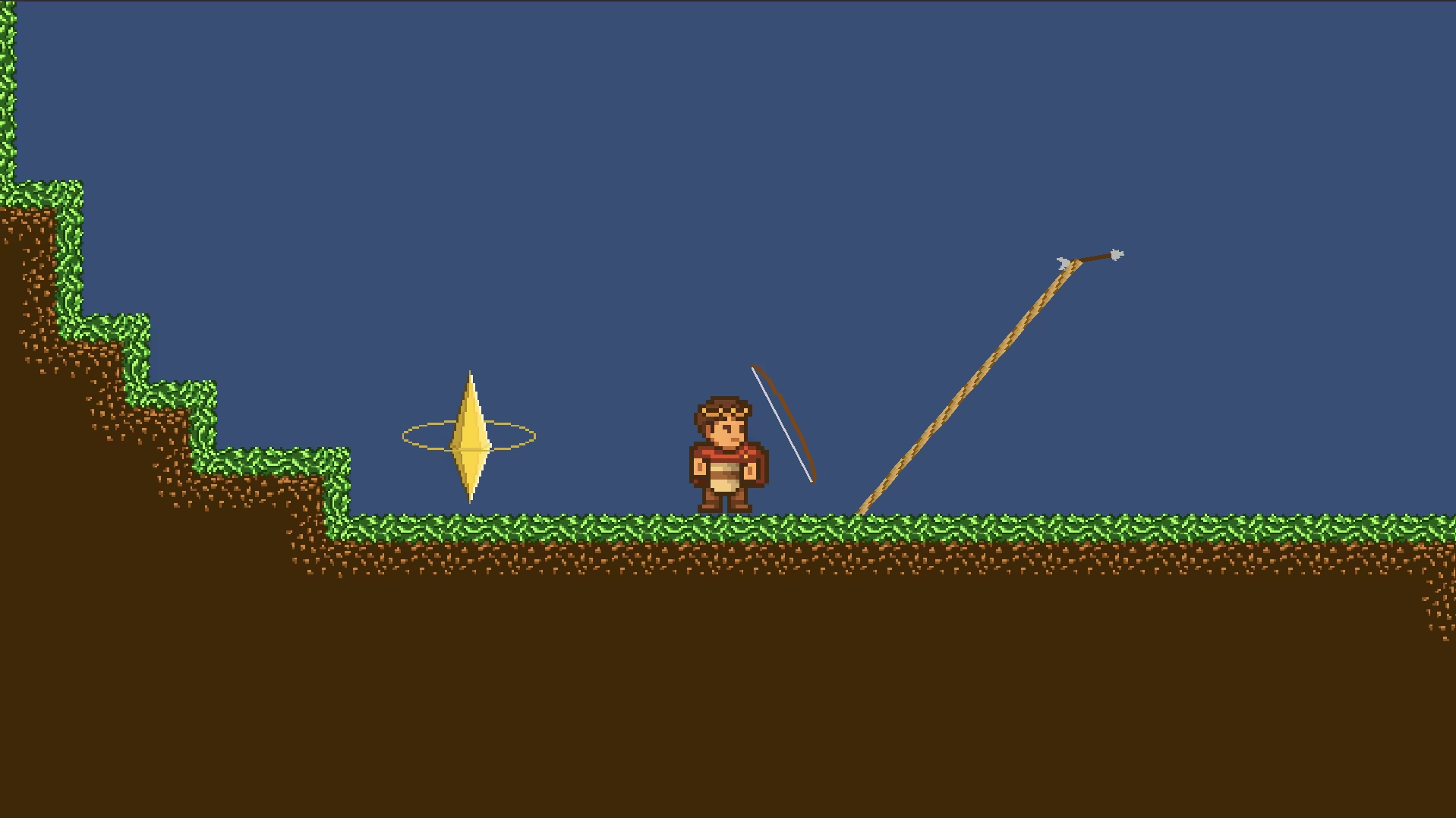

I made a few abilities for my platformer game made using Unity. the goal was for each ability to represent a period of time, be it the past, the present or the future.
The Bow
I made this ability to represent the past, more exactly the middle-ages, the bow being such an old yet reliable and iconic weapon made it an easy choice !since I didn’t want to choose the usual western middle-ages you see everywhere, we decided to go for the japanese eastern kind. This is why I made the bow so big, so it would look like traditional japanese archery with their huge bows.
now I only had one problem, since it is a platform game, I’d have to make it a movement ability.
So I just attached a rope to it. This way it would not only shoot arrows affected by gravity but also a rope the player could attach himself to.
How does it work ?
1. the bow
private void Update(){
    // position et rotation
    Vector2 mousePos = Mouse.current.position.ReadValue();
    Vector2 worldPoint = mainCamera.ScreenToWorldPoint(mousePos);
    Vector2 direction = worldPoint - (Vector2)transform.position;
    float angle = Mathf.Atan2(direction.y, direction.x) * Mathf.Rad2Deg;
    weapon.rotation = Quaternion.Euler(0, 0, angle);
    weapon.position = transform.position + (Vector3)(direction.normalized * bowDistance);

    // the shot
    if (InputActions.Player.Shoot.WasPressedThisFrame() && !chargingArrow && arrowAvailable){
        SoundManager.Instance.PlaySound2D("load bow");
        chargingArrow = true;
    }

    if (chargingArrow){
        arrowSpeed += arrowChargeRate * Time.deltaTime;
        arrowSpeed = Mathf.Min(arrowSpeed, arrowMaxSpeed);
    }

    if (InputActions.Player.Shoot.WasReleasedThisFrame() && chargingArrow && arrowAvailable){
        chargingArrow = false;
        ShootArrow();
        arrowSpeed = IarrowSpeed;
        arrowAvailable = false;
    }

    // reloading
    if (InputActions.Player.Reload.triggered){
        Reload();
    }
}
The update function can be divided in two main parts, the one that handles the position of the bow every frame, and the one that handles the shot.
The position of the bow is handled the following way :
first I get the position of the player’s mouse on the screen, which I then use to get its position in the game’s world and the direction the bow will be looking, and then I use them to position the bow on a circle at a set distance to the player, making sure it is always looking directly at the mouse.
The shot is handled in three main parts :
if (InputActions.Player.Shoot.WasPressedThisFrame() && !chargingArrow && arrowAvailable){
    SoundManager.Instance.PlaySound2D("load bow");
    chargingArrow = true;
}
This part simply checks if the player wants to start charging the bow on this frame and if he can and changes the value of the boolean “chargingArrow” to true if yes. It only activates once when the player wants to shoot and not for its whole duration unlike the second part.
if (chargingArrow){
    arrowSpeed += arrowChargeRate * Time.deltaTime;
    arrowSpeed = Mathf.Min(arrowSpeed, arrowMaxSpeed);
}
This part checks if the player is charging his shot, if he is, it enhances the speed the arrow will be launched at, while making sure it doesn’t got past a maximum value.
if (InputActions.Player.Shoot.WasReleasedThisFrame() && chargingArrow && arrowAvailable){
    chargingArrow = false;
    ShootArrow();
    arrowSpeed = IarrowSpeed;
    arrowAvailable = false;
}
Finally, when the player releases the shoot button, the disables the charging state of the bow and then shoots the arrow, then it sets back the speed of the next arrow baack to it’s initial speed and desactivates the shot while the player doesn’t reload.
2. the arrow
void Start()
{
    visual = transform.GetChild(0);
    rb = GetComponent<Rigidbody2D>();
}
void Update()
{
    if (!hashit)
    {
        float angle = Mathf.Atan2(rb.linearVelocity.y, rb.linearVelocity.x) * Mathf.Rad2Deg;
        visual.rotation = Quaternion.Euler(0, 0, angle);
    }
}
void OnTriggerEnter2D(Collider2D collision)
{
    if (collision.gameObject.layer == LayerMask.NameToLayer("Ground") && !hashit)
    {
        hashit = true;
        rb.linearVelocity = Vector2.zero;
        rb.bodyType = RigidbodyType2D.Kinematic;
    }
}
the arrow script is much simpler, in the update, I rotate the sprite of the arrow but not the actual arrow itself. when is collides an object from the ground layer, I reset its speed and change the type of its rigid body from dynamic to kinematic.